What Makes an Employee App Actually Work?
Top 9 features of a modern employee engagement app
Your team doesn't sit at a desk. They're on the floor, in a vehicle, at a bedside, behind a counter. The work happens wherever they are, but the tools to do it have spent the last decade stuck on a laptop.
That's what an employee experience app is meant to fix. Put the documents, news, tasks, forms, and conversations your team needs into the device already in their hand. Make work mobile, not just messaging.
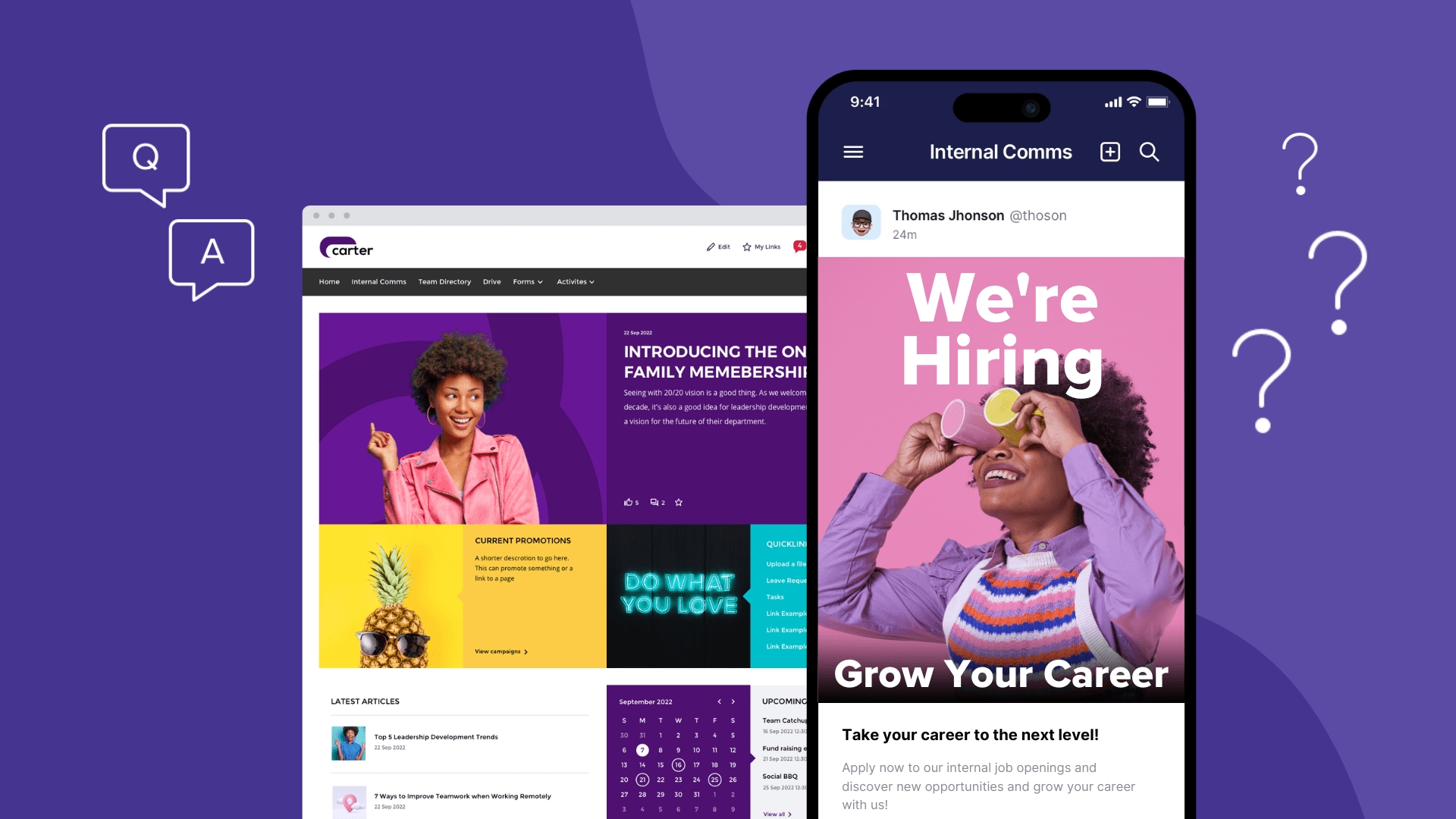
The CentricMinds Employee App is a dedicated mobile app that also extends to CentricMinds Intranet on desktop. One experience, two surfaces. Your team's documents, tasks, forms, news, and approvals work the same way whether they're on a phone on the floor or a laptop in the back office.
Here's what to look for when you're choosing one, and the 9 features that separate an app your team uses from one they delete.
4 Common Problems Engagement Apps Should Actually Solve
1. Drive Motivation Using Clear Goals
Challenge “My off-site team doesn’t know what’s important today.”
When teams lack visibility, they lose motivation.
Solution With the app, managers assign tasks, set priorities, and track progress. Employees can see how their work contributes to team goals in real-time—reducing interruptions and boosting alignment.
2. Improve Communication and Recognition
Challenge “People aren’t polite in messages. No one feels appreciated.”
Solution The app encourages positive interaction with instant chat, recognition feeds, and shout-outs. Custom categories like Awesome Sauce or Fantastic Feats make it fun and human. Everyone can like, comment, and join the praise.
Result Better collaboration, less friction, and a boost in morale.
3. Reduce Micromanagement and Build Trust
Challenge “My hybrid staff feels micromanaged and disengaged.”
Solution Replace constant check-ins with task tracking, real-time updates, and informal chat. Team members report progress, raise blockers, and work more independently—without losing visibility.
Result Trust improves. Micromanagement complaints drop.
4. Support Wellbeing with Anonymous Check-Ins
Challenge “We can’t tell how people are really doing.”
Solution In-app mood check-ins let staff share how they feel—privately. Leaders can track trends and offer support early. You’ll catch issues before they escalate and reinforce a culture of care.
What Is an Employee Engagement App?
The mobile home for the work itself. Not a feed to scroll. The place where your team finds the document, picks up the task, submits the form, posts the update, and tells their manager how they're going.
All on the device already in their hand.
In 2026, the bar is higher. The work and the conversation need to live in the same place, and both need to flow back to where the rest of the business already runs.
The CentricMinds Employee App is built for that bar. It works both ways with the CentricMinds Intranet. Post a news update from the floor and it lands on the intranet. Complete a task on a phone and the status updates on the desktop. Submit a form from a vehicle and the workflow fires in the back office. One source of truth. Two surfaces. No double handling.
Top 9 Features to Consider When Choosing an Employee Communication Engagement App
1. Instant Messaging
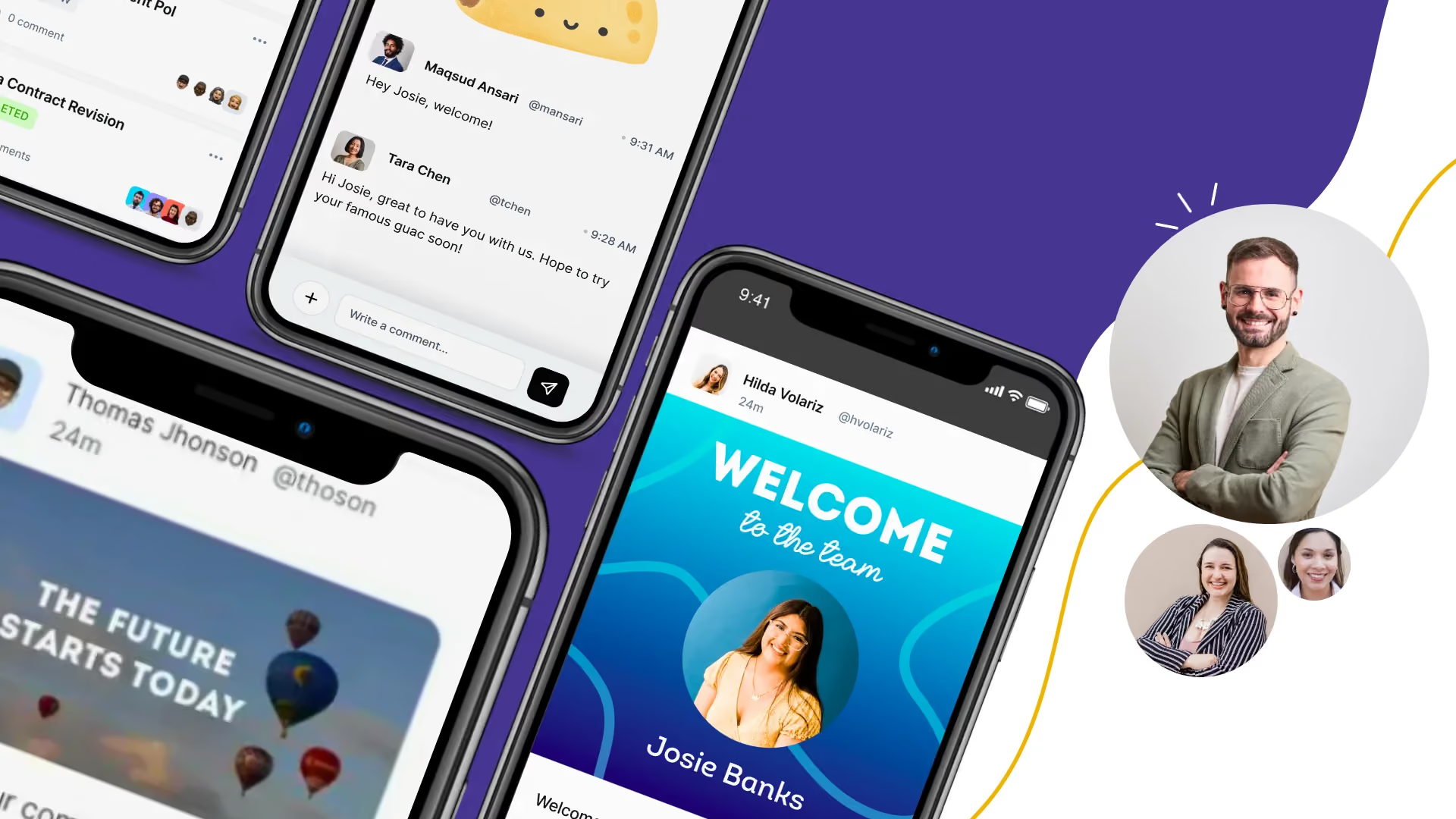
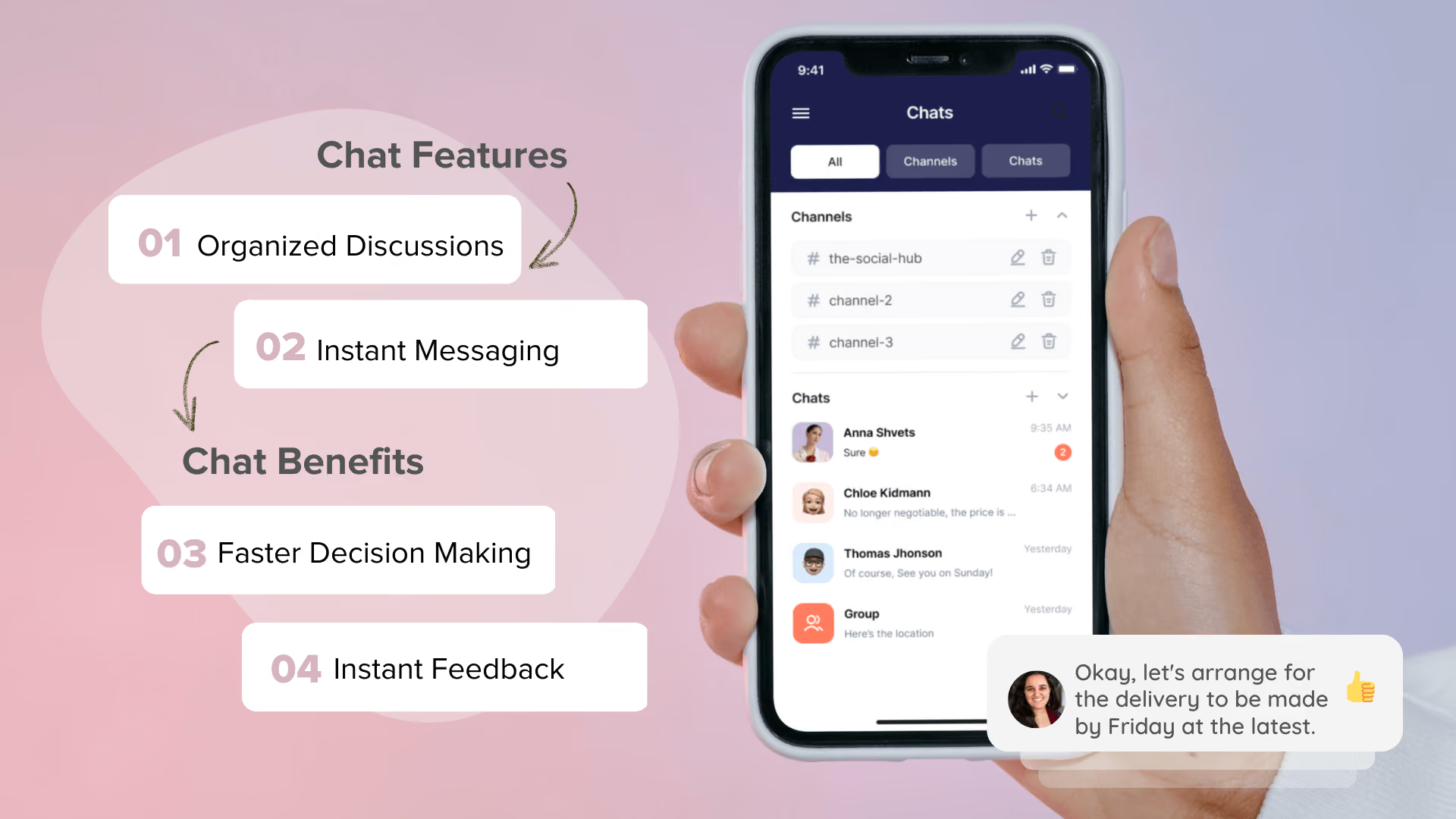
Employee communication is the heart of workplace engagement. With realtime chat, your teams can stay connected no matter where they are—whether it’s in the office, at home, or on a job site.
Key benefits:
- Chat channels to organize conversations by project or team
- Direct messaging for quick 1:1 discussions
- Support for frontline and casual workers without company emails
Super fast check-ins for everyone and a full record of who said what. It’s the end of “I didn’t see that message” excuses, and the beginning of clear, traceable communication.
CentricMinds bridges the communication gap across locations, roles, and devices.
2. Task Management
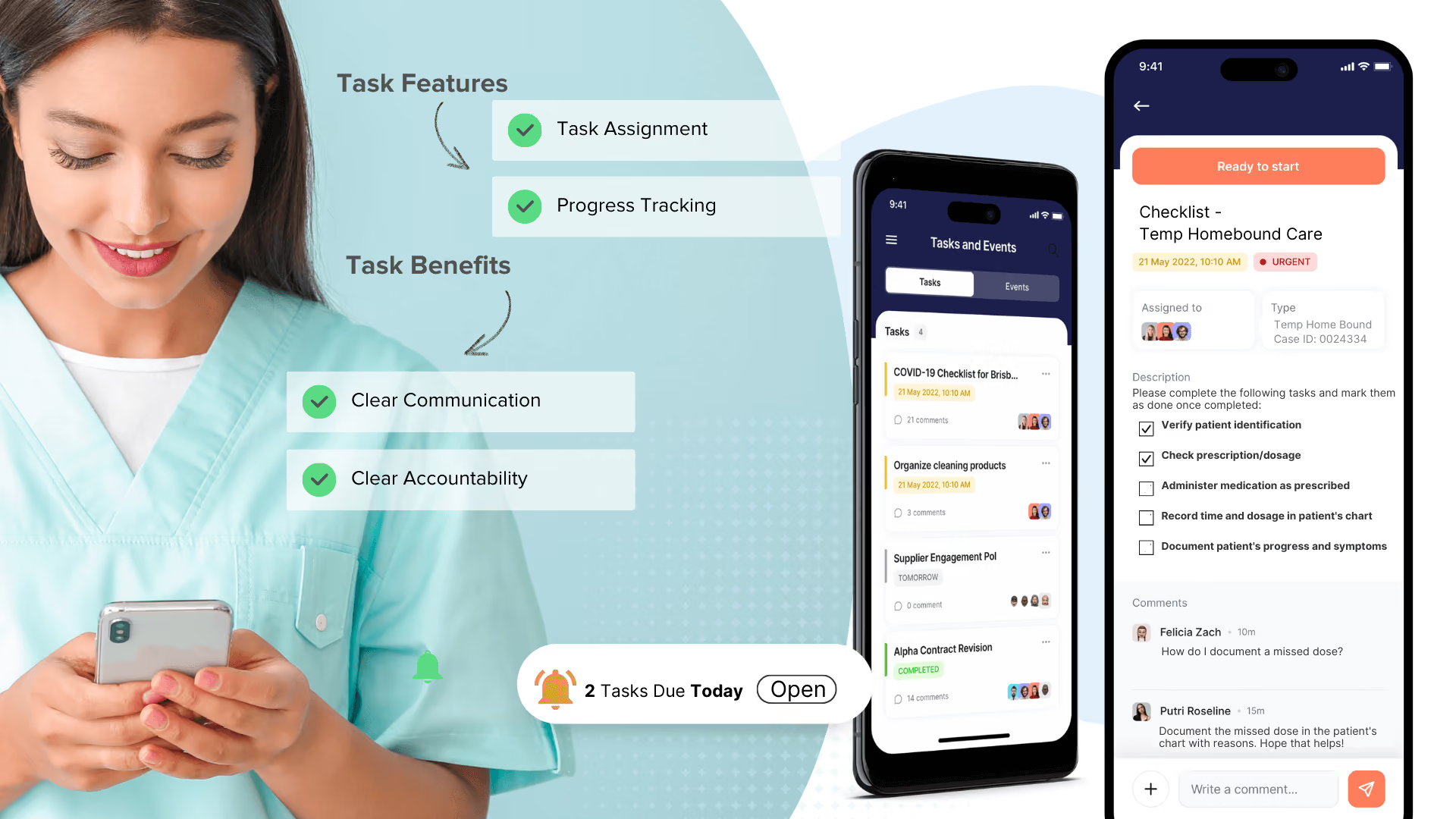
Tasks scattered across sticky notes, emails, or spreadsheets? That’s a recipe for delay and confusion. Especially in fast-paced industries like retail, aged care, or any role where you need quick answers for customers, or have to triage problems and coordinate handovers fast.
Here’s what works:
- Assign tasks with deadlines and add priority levels
- View tasks in checklists, with reminders and progress tracking
- Use "Can’t Complete" to signal blockers (add notes/photos)
- Mark tasks done with one tap visible to managers instantly
- Trigger tasks from forms, incident reports, or approvals
- Offline ready task updates sync automatically when back online
Transparent workflows reduce micromanagement, show progress, and help frontline teams stay on track without needing constant supervision.
3. People Directory (That’s Actually Useful)
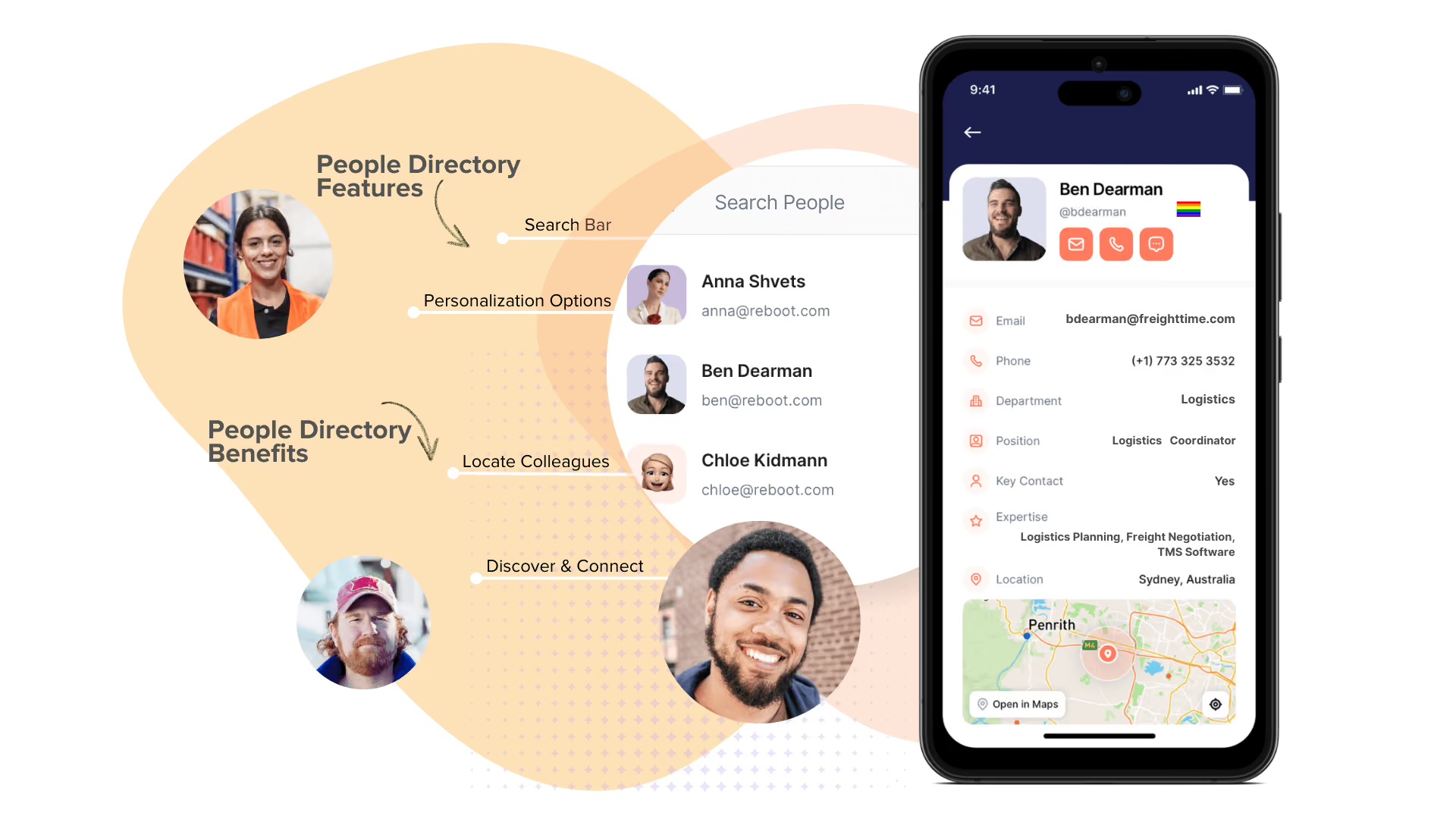
Most org charts live in a PDF no one opens. CentricMinds turns your people list into something practical.
What your team gets:
- Names, photos, pronouns, and nicknames
- Roles, departments, locations, and skills
- One-tap to message, call, or email
No more guessing who does what. No more chasing down contact details. Whether you’re onboarding someone new or trying to hand off a shift, it’s all right there.
It’s a living network of your workplace not just a contact list.
4. Company News Feed (That People Might Actually Want to Check)
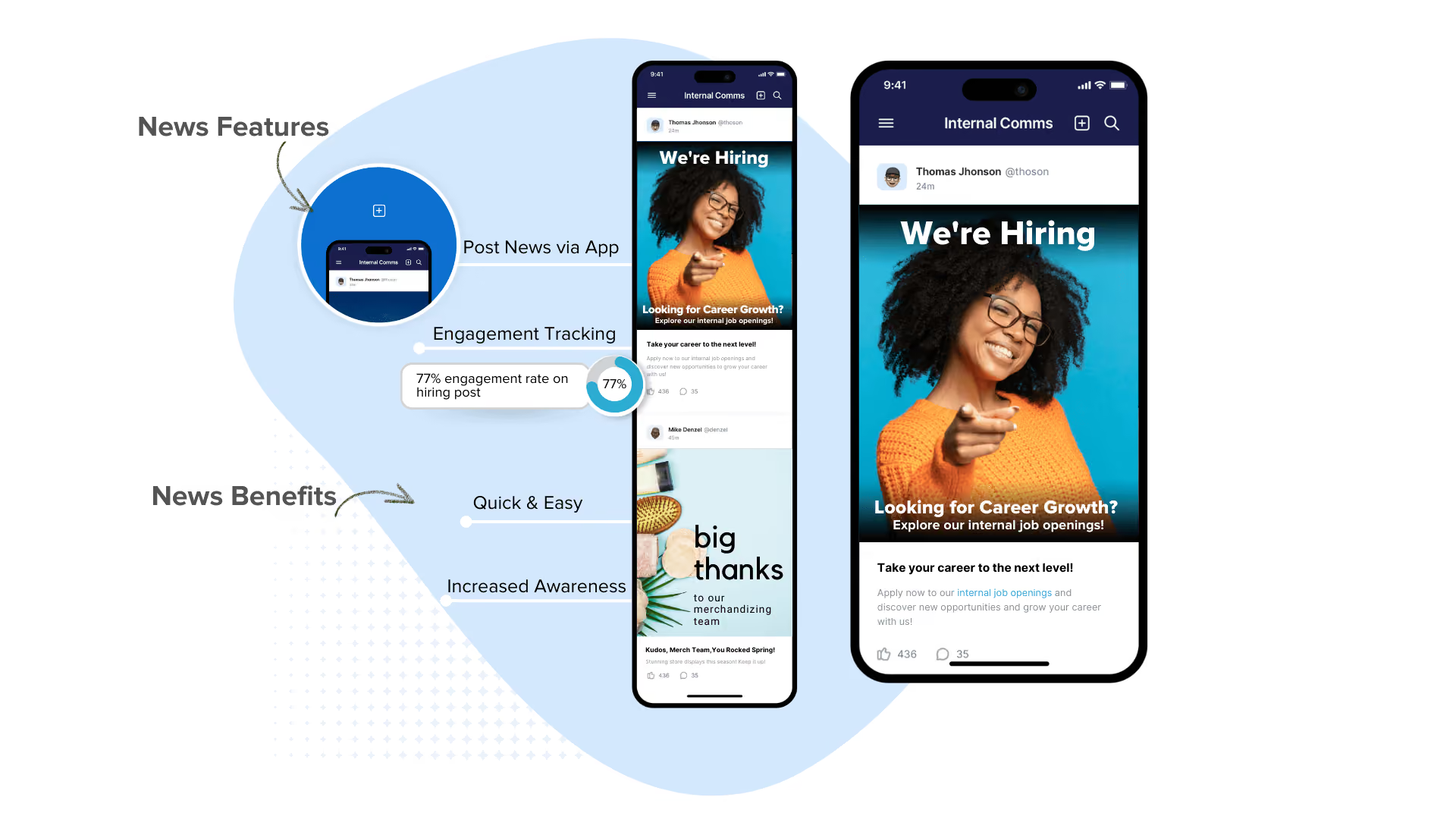
Most company updates disappear into inboxes, unread and unacknowledged. That’s fine for desk workers not for frontline teams. And definitely not for announcements that matter like safety alerts, shift changes, or a last-minute policy video.
CentricMinds delivers a real feed — built for mobile habits:
- Post updates straight from the app (text, images, video)
- Boosted messages (pop-up alerts that stay on screen until acknowledged)
- Feed-style news updates, with comments and reactions
- Smart scheduling by shift or time zone
This isn’t just another newsletter. It's a real-time communication hub. where you can embed videos, launch campaigns, and track engagement instantly.. It’s the place your people actually check — because it works like the rest of their mobile life.
Make communication obvious. Not optional.
5. Culture, Recognition & Feedback Tools
Culture and engagement aren’t just about productivity — they’re about feeling seen.
Recognition is one of the fastest ways to shift a team’s tone. CentricMinds lets any team member post a public shout-out, tag a company value, and react with likes, emojis, or comments — right from their phone.
Whether it's peer-to-peer or top-down recognition, it builds real momentum. Let people recognise each other in ways that feel natural — with short notes, emojis, value tags, or team shout-outs that actually land.
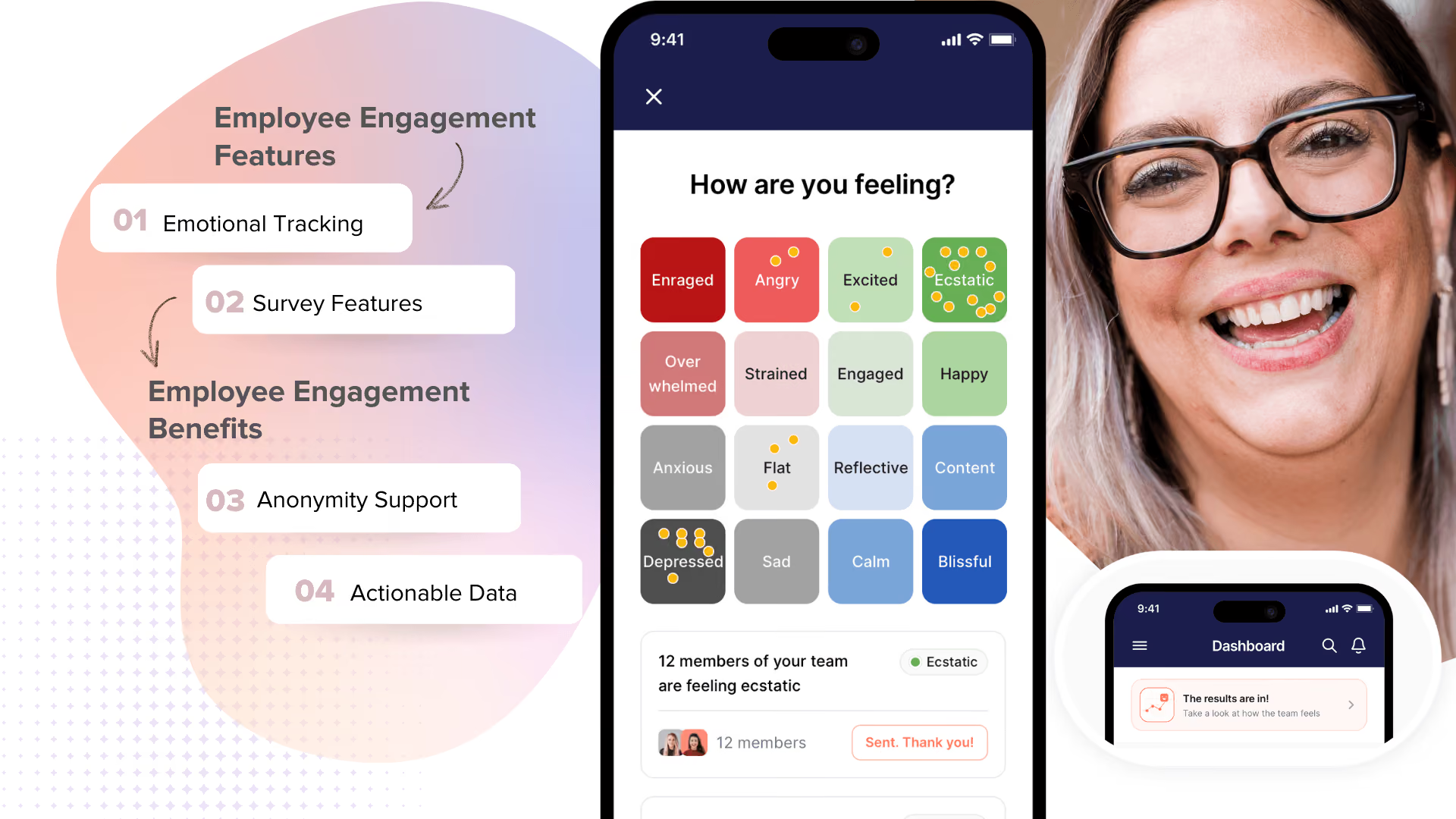
The app also supports:
- Anonymous mood check-ins
- Trend tracking over time (team or org-wide)
- Private support options for employees
And for feedback? You don’t have to wait for an annual survey. CentricMinds makes polls and pulse checks quick and easy:
- Create and send polls in seconds — no separate tool needed
- Deliver via push, feed, or chat
- Review real-time analytics to take fast action
Culture doesn’t happen in a handbook. It happens through daily interactions and CentricMinds app can support all of it.
6. Digital Forms & Approvals
Everyone uses forms. Some organisations more than others. On mobile, completing a form should be simple. For some teams, completing forms is part of their daily workflow — so that experience has to work, fast.
With CentricMinds, forms are created in the intranet and completed in the mobile app. You don’t need to purchase both, but for teams with high operational form use, we recommend pairing the employee app with our intranet platform.
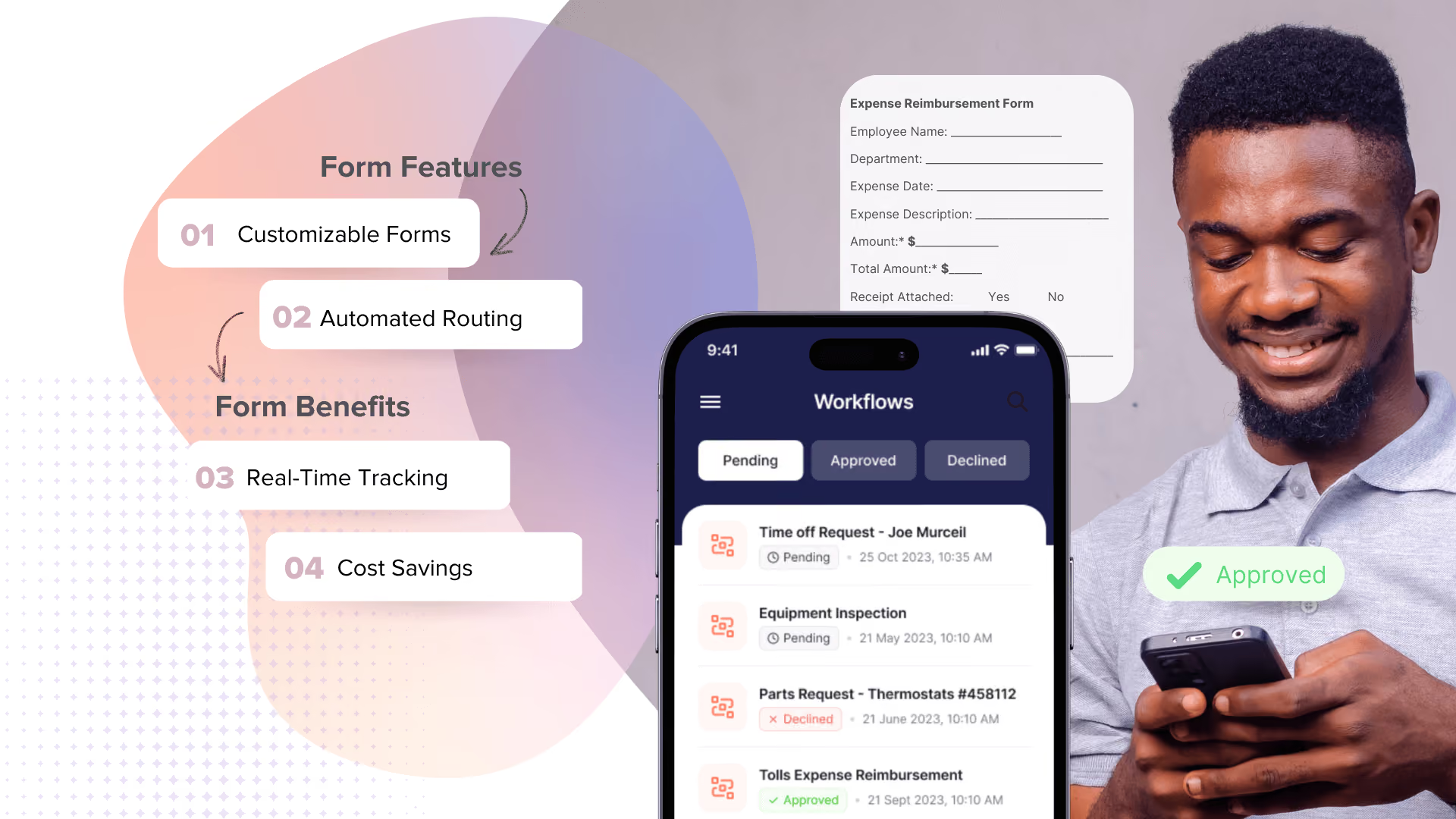
Here’s how it works:
- Forms are created using CentricMinds Intranet (via desktop)
- Staff complete forms in the app or wherever the work is happening
- Submissions can automatically trigger followup tasks, notifications, or reminders
Whether it’s a leave request, incident report, or ordering parts, employees can do it in the app no paper, no login friction, no guessing who to send it to.
From the app, staff can:
- Submit forms like time off, safety reports, or expense claims
- Trigger automated tasks (like manager reviews or escalations)
- Get notified when something is approved, rejected, or requires action
CentricMinds employee app offers one place to submit, track, and trigger the next step — no email chains, no delays.
6. Document Access (When You Need the Right File, Fast)
In industries like healthcare, finance, and aged care, teams often use their phones to access important work-related documents from updated procedures to inspection checklists.
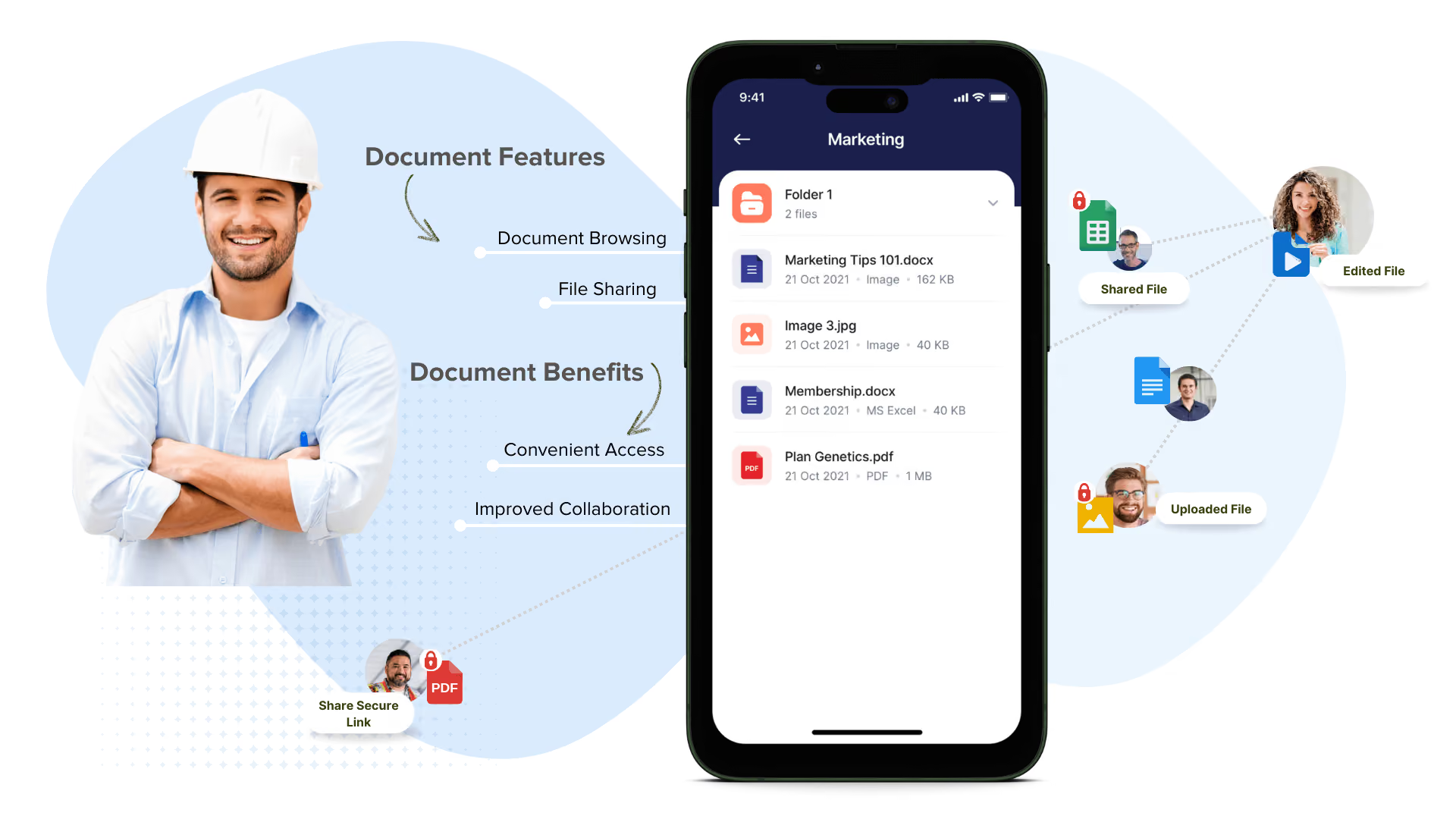
With CentricMinds, employees can:
- Browse and search documents by folder, keyword, or team
- Access files stored natively or linked via Google Drive or OneDrive (with secure authentication)
- Open files even without internet access everything syncs back when reconnected
Security is baked in. Access is permission-controlled, and multi-factor authentication can be enabled for sensitive information. Whether it's a safety policy, a video training module, or an onboarding checklist it’s accessible, safe, and up to date.
Find it. Open it. Use it. All from your phone. and only if you’re supposed to.
8. Notifications & Reminders (Because People Forget Things)
Teams move fast. Work gets noisy. Things slip.
CentricMinds helps your people stay on top of what matters with real-time push notifications, reminders, and mobile alerts without needing another inbox to manage.
What gets surfaced:
- Task and form reminders
- Approvals and escalations
- Boosted messages that pop until acknowledged
- Audio alerts for loud environments
A little nudge at the right time keeps work moving.
9. Built-In Analytics & Insights
CentricMinds doesn’t just help your teams work better — it shows you what’s working, what’s not, and what needs attention.
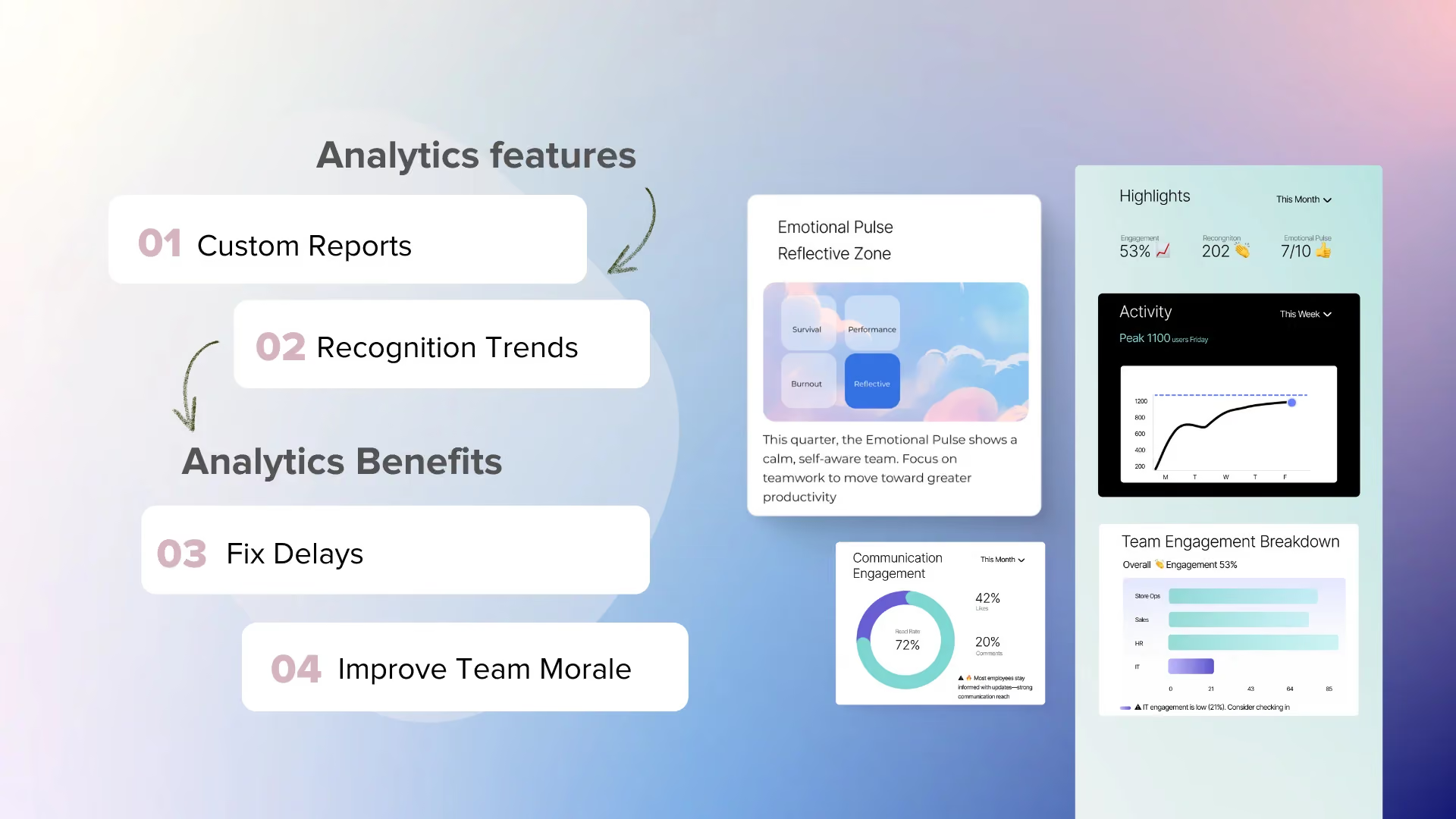
With built-in analytics, you can:
- See which features are used most by team, department, or location
- Track task completion, overdue items, and blockers
- Monitor recognition trends: who’s being acknowledged (and who isn’t)
- Spot sentiment shifts from mood check-ins and survey responses
- Measure communication impact — who’s reading, reacting, or ignoring updates
Examples:
- If one team uses chat heavily but ignores news posts, that signals a communication gap
- If peer recognition drops in one region, it might flag team culture issues
- If task completion dips post-rollout, it might indicate a training gap
You also get real-time dashboards to help managers act fast — not wait for a report.
Visibility drives better decisions. You can’t fix what you can’t see.
Why CentricMinds?
Most intranets were built for the desktop era. Mobile came later, as an afterthought. A stripped-down app, a responsive web view, or worse, nothing at all. So the people who needed it most, the ones on the floor and in the field, ended up with the worst experience.
CentricMinds is a modern intranet built for both. The desktop intranet your back office relies on, and a dedicated mobile app for the people who don't sit at a desk. Both surfaces share the same content, permissions, and workflows. What gets posted on one shows up on the other. What gets done on one updates the other.
Why teams choose CentricMinds
- A modern intranet, not a legacy one. Built for how teams actually work in 2026 — mobile, distributed, multi-shift, multi-location.
- A real mobile app, not an afterthought. Native iOS and Android, designed for frontline teams without company email addresses.
- Two-way by design. Post, complete, submit, approve. Whatever happens on the phone reflects on the desktop, and the other way around.
- Branded as yours. The app reflects your company, not ours.
Easy to roll out.No training manuals required. If your team can use a phone, they can use this.
If you've been making do with a desktop intranet that doesn't reach your frontline, or a mobile app that doesn't connect to anything else, CentricMinds is the modern setup you've been looking for.