.avif)
CentricMinds Intranet
Forms & Workflows
Teams using CentricMinds








Build a form. Let it run
Forms that route, track and close themselves when complete
Registration form
Sent automatically


Build forms and send them where they need to go
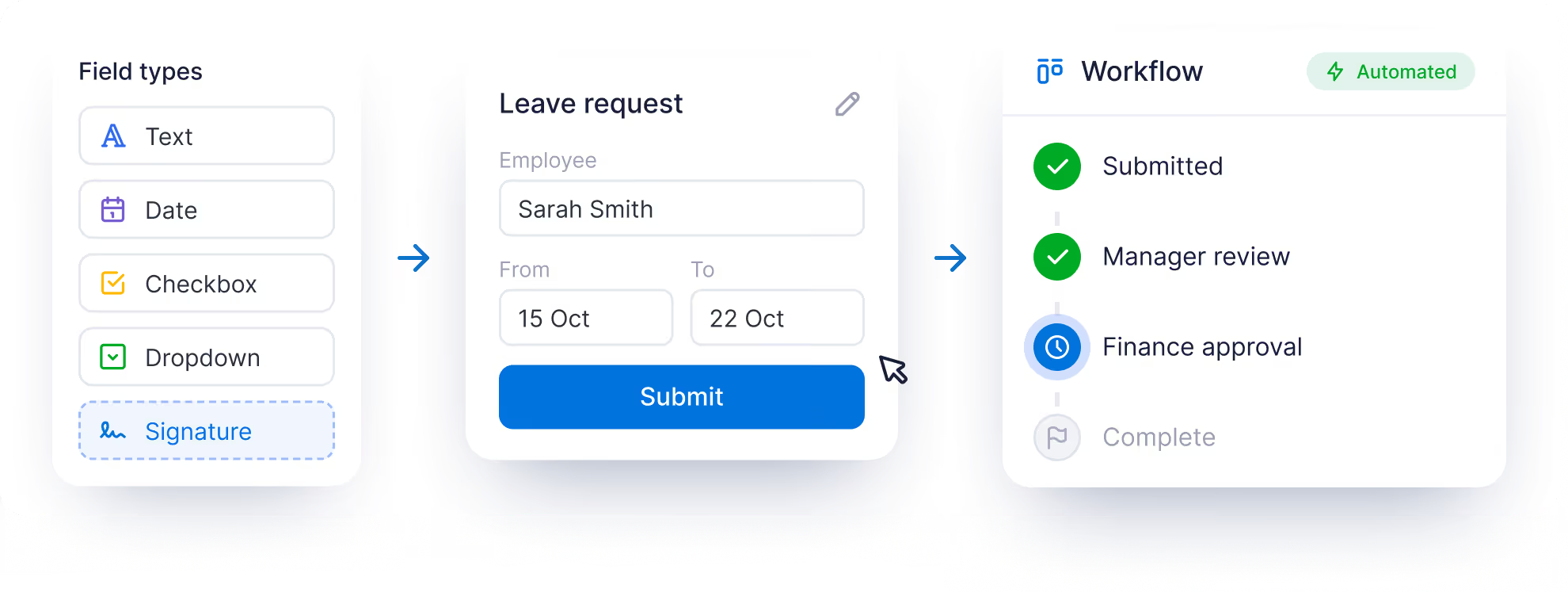
Drag and drop fields onto the canvas. Add logic, signatures, file uploads and photo capture. Route every submission to the right person automatically

.svg)
Move work through your business, automatically
Design multi-step flows, no code. Chain tasks across teams, trigger notifications, attach documents and signatures. Track every request using the live dashboard

.svg)
One dashboard.
Every request, every status
Know what's waiting, what's moving, what's done.
See pending, approved and declined requests at a glance
Filter by date, request ID, workflow or people in the process
Drill into any request to see who has it and what's next
Automatic reminders when steps go unanswered


Can workflows integrate with other business processes and applications?

Yes. Our API enables workflows to trigger events in other applications. Forms and workflows can become the operational backbone of your intranet, allowing organizations to standardize how work is performed while reducing overhead and process tooling.
Do I need to hire a developer to build forms or workflows in CentricMinds?
Thankfully, no. Just drag and drop the form fields you want onto the canvas. Create workflows with no code. Your HR, Ops or Comms team can create and update themselves.
Can we use forms and workflows to assist with compliance and governance?
Every action is recorded in a complete audit trail, including submissions, approvals, rejections, comments, timestamps, and workflow decisions. This creates a transparent and auditable record for compliance, governance, accreditation, and regulatory reporting requirements.
Could we customize and automate our own employee onboarding and offboarding?
Yes. Many teams frequently use forms and workflows to automate employee lifecycle processes. For example, the onboarding dashboard within the Intranet guides new starters to complete onboarding tasks that trigger workflows that can automatically handle tasks across HR, Payroll, and IT.
What happens with the data when a form is submitted?
Everything is stored securely in your CentricMinds account. You can then design how your captured data leaves CentricMinds through native integrations with HubSpot, Salesforce, Google Workspace, SharePoint and many other apps.
Are there any reporting tools provided for visualizing captured data?
Absolutely. The CentricMinds Analytics Dashboard provides a suite of tools for filtering and modeling data from your captured customer form and workflow design. The analytics control plane gives administrators tools to compare data across type, category, and other custom metadata categories that you yourself can create and manage.