Best Intranet | Top Platforms for Your Teams Now
A modern intranet is the central digital space your team uses to communicate, collaborate, and find what they need to do their job. The best ones combine internal comms, document management, forms and workflows, search, recognition, and a mobile experience for the people who aren't at a desk.
What's changed in 2026:
- AI features are now expected, not differentiating
- Mobile matters more than desktop for most teams
- Governance has become a top procurement criterion
- The line between an intranet and an "employee experience platform" has effectively disappeared
A good intranet should help your team find information, share updates, complete forms, manage tasks, and feel connected to the wider business. A great one should do all of that without your team needing to think about it.
What to look for in intranet software
Before you start shortlisting vendors, agree internally on what you actually need. These are the features that matter most in 2026.
Search that returns answers. Traditional intranet search returns ten blue links. Modern intranet search returns the answer, with a link to the source.
A real mobile experience. Not a responsive website. A proper mobile app, branded to your company, with full functionality for frontline staff who don't have company email.
Document management. Centralised storage, version control, permissions, and integration with whatever you already use.
Forms and workflows. Build forms, route approvals, trigger tasks. The everyday operational work your team currently does in email and spreadsheets.
Communication and chat. Real-time messaging, channels, news feeds and announcements. The central place where company updates live and team conversations happen.
Recognition and engagement. Peer-to-peer recognition, pulse surveys, sentiment tracking.
Analytics. Who's reading what, who's not, where engagement is dropping.
Integrations. Microsoft 365, Google Workspace, HR systems, single sign-on, identity management. The intranet should fit your stack, not replace it.
Security and compliance. SOC 2 Type II, HIPAA where relevant, ISO 27001, GDPR. For regulated industries, check the certifications match your obligations.
1. CentricMinds
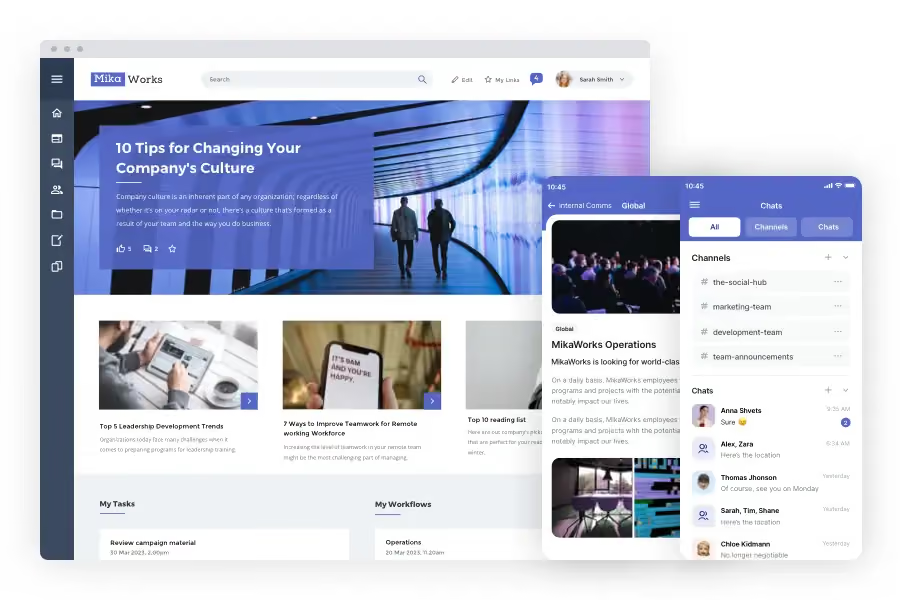
CentricMinds is a modern intranet built for businesses where half the team isn't at a desk. Documents, news, forms, workflows, search, analytics and a branded mobile Employee App, all in one product, one subscription, one source of truth.
It's particularly strong in retail, healthcare, government, manufacturing and logistics, where frontline communication is the difference between operational success and operational chaos. Customers include Kmart Australia and New Zealand, Regis Healthcare, Virtus Health, Sonic HealthPlus, Country Fire Service, Sun River Health and Mondiale VGL.
What makes CentricMinds different on cost is that the mobile Employee App is part of the intranet, not a separate purchase. Most vendors either charge extra for mobile, ship a bolted-on app, or have no mobile experience at all.
Key Features
- Branded mobile Employee App as part of the intranet, working both ways with desktop
- Documents, forms, workflows, tasks and approvals
- News, chat, channels and people directory
- Recognition and wellbeing check-ins
- Search and analytics
- AI-powered features through partnership with New Dialogue AI — private AI hosted in your cloud
- Integrations with Google Workspace, Microsoft 365, OneDrive, Dropbox and SharePoint
- Hosting on AWS, Azure or your own cloud
- SOC 2 Type II, HIPAA, ISO 42001 and GDPR certifications
Pricing
Quoted per user per month, billed annually. Pricing scales with team size and customisation needs.
2. Microsoft SharePoint
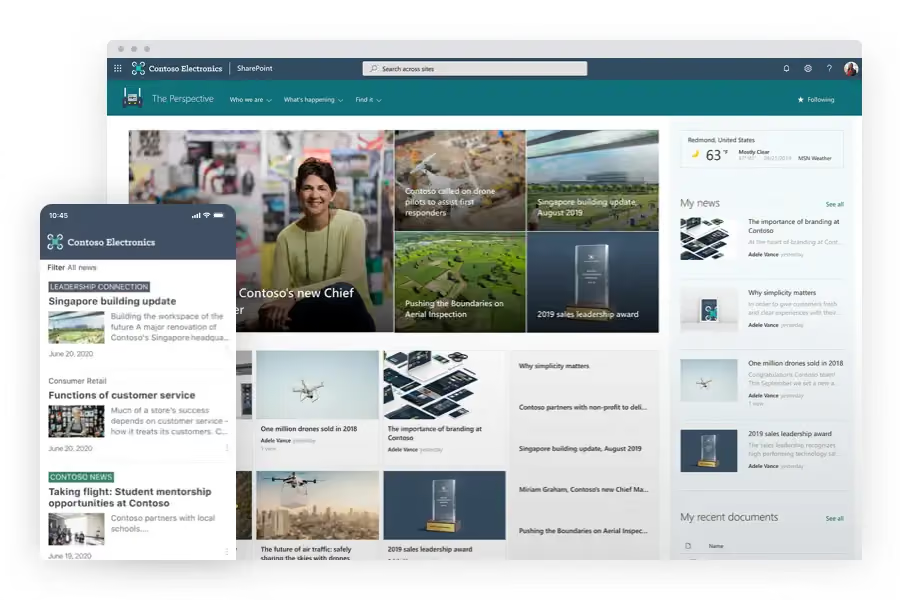
SharePoint is Microsoft's collaboration platform, bundled inside Microsoft 365. It handles document storage, team sites and basic intranet functionality, with deep integration into the rest of the Microsoft stack.
Best for organisations already fully invested in Microsoft 365 with internal capacity to configure and maintain SharePoint as an intranet, often with the support of a partner agency.
Key Features
- Document storage and version control
- Microsoft 365 integration
- Team sites and communication sites
- Permissions and security controls
Pricing
Included in Microsoft 365 business plans. See Microsoft's current pricing.
3. Slack
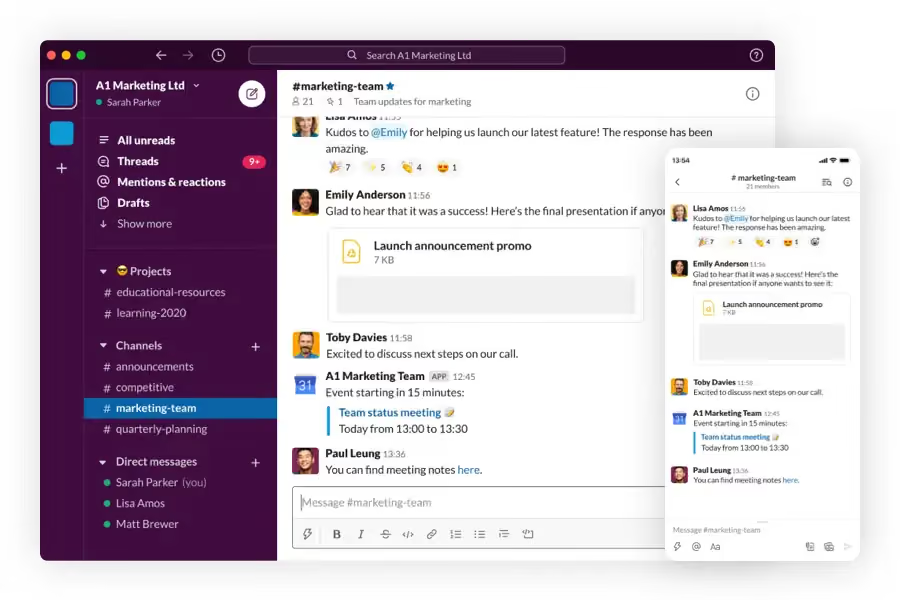
Slack is a team messaging platform with channels, direct messages, huddles for voice and video, and Slack Canvas for lightweight documentation. Slack Connect lets teams collaborate with external partners.
Best for businesses that primarily need messaging and lightweight collaboration rather than a full intranet with documents, forms and structured news.
Key Features
- Real-time messaging and channels
- Huddles for voice and video
- Canvas for documentation
- Integrations with productivity tools
Pricing
Tiered plans from free to Enterprise Grid. See Slack's current pricing.
4. Workvivo by Zoom
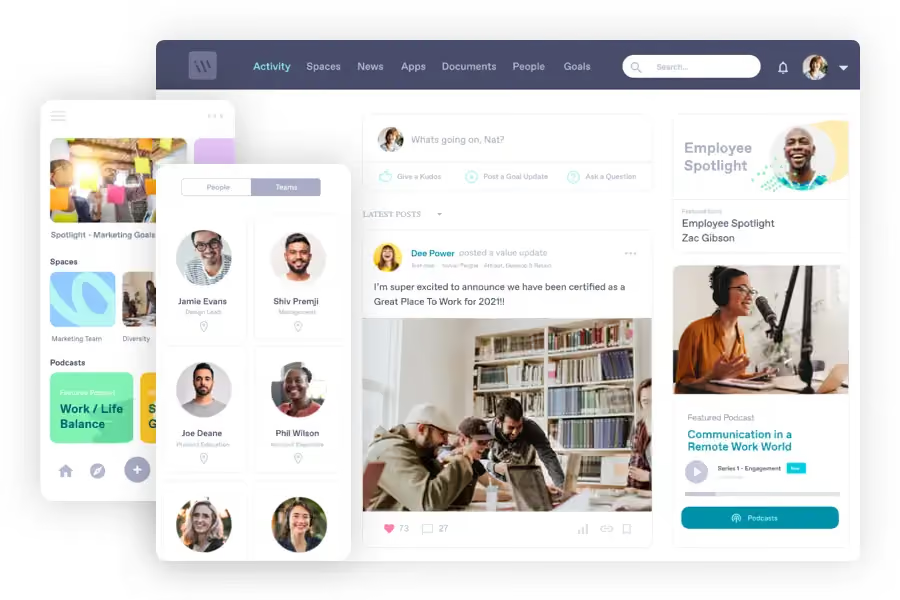
Workvivo is Zoom's employee experience product, acquired in 2023. The interface feels like a social network for work, with activity feeds, recognition shout-outs, news and live video.
Best for enterprises already standardised on Zoom who want a community-style layer to add on top.
Key Features
- Social activity feed and recognition
- Live streaming and town hall tools
- Zoom integration
- Mobile app
Pricing
Quote on request. See Workvivo's pricing page.
5. Simpplr
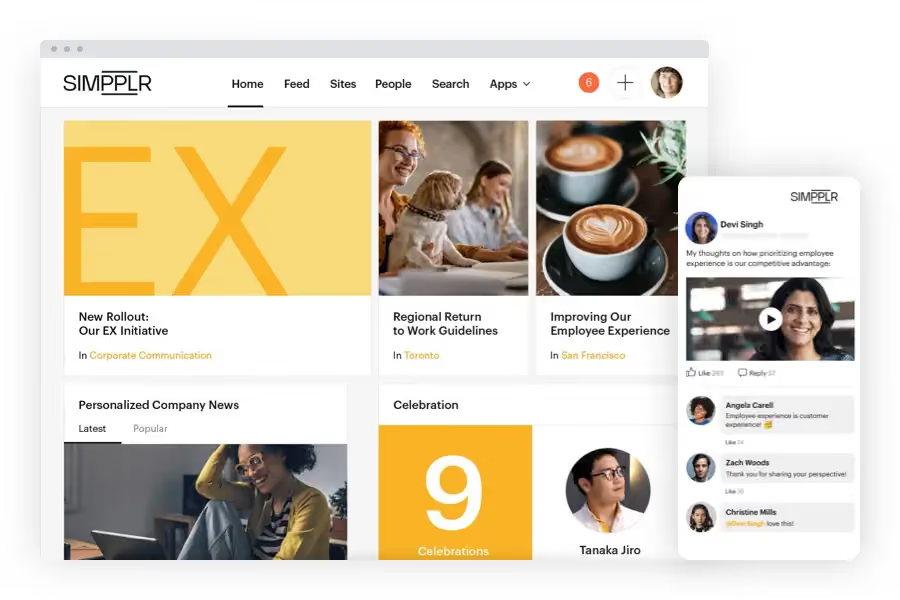
Simpplr is an intranet focused on personalisation and ease of use. The platform surfaces content based on role, location and behaviour, with smart search, writing assistants and embedded video.
Best for mid-market and large enterprises looking for a low-touch intranet with minimal IT involvement.
Key Features
- Personalised homepages
- Writing assistant and content recommendations
- Embedded video messaging
- Mobile app
Pricing
Tailored quotes based on business needs. See Simpplr's pricing page.
6. Staffbase

taffbase is an internal communications platform popular with large enterprises, especially in Europe. The platform focuses on running comms campaigns across mobile apps, intranet, email, Microsoft 365 and digital signage. Multi-language support is a particular strength.
Best for enterprises with dedicated internal comms teams running structured campaigns across multiple channels.
Key Features
- Multi-channel campaign publishing
- Content creation tools and translation
- Audio summaries and podcasts
- Content governance
- Built-in surveys and pulse checks
Pricing
Custom quote. See Staffbase's pricing page.
7. Viva Engage
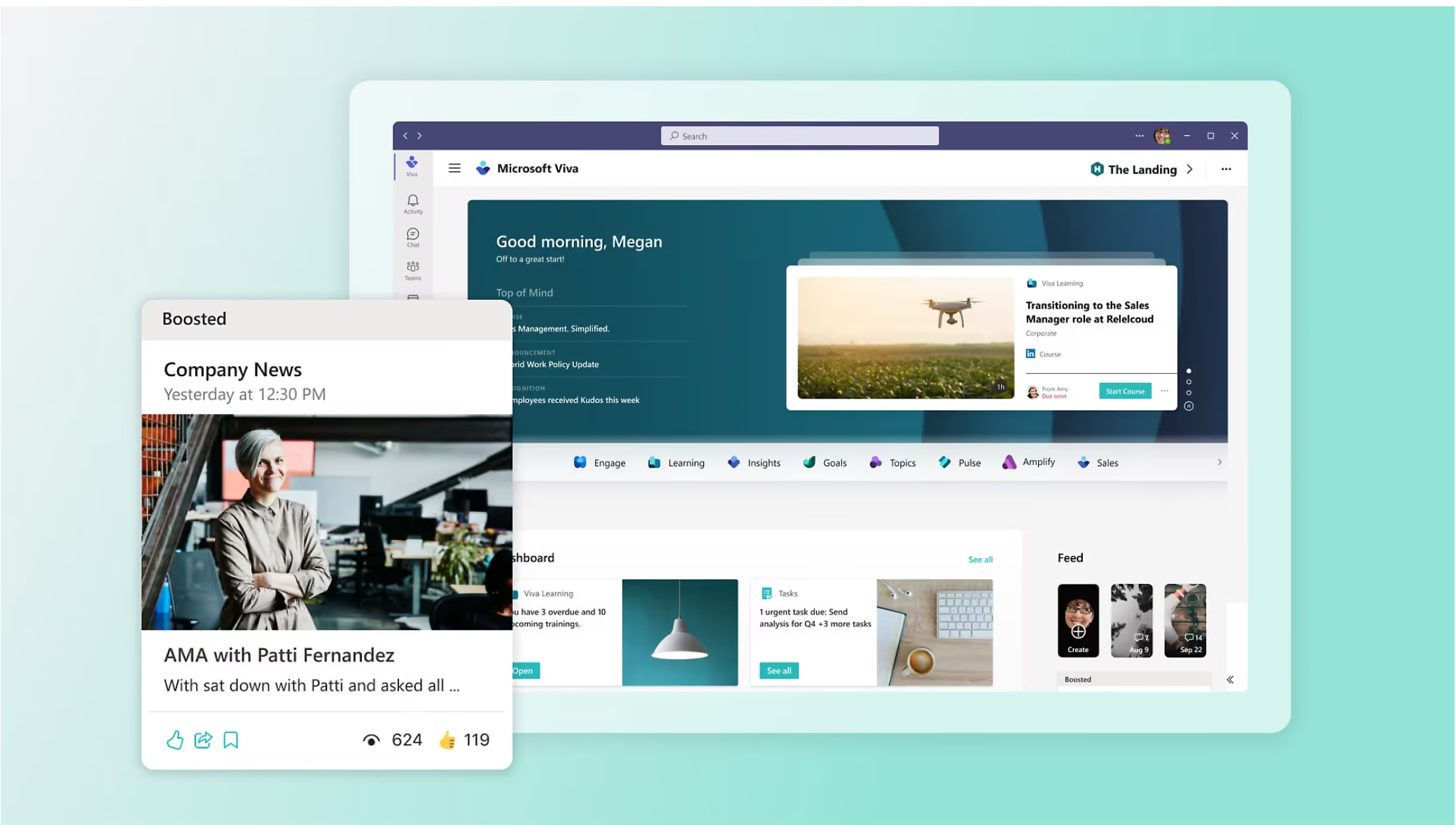
Microsoft Workplace by Meta shut down in mid-2026. Many former Workplace customers migrated to Microsoft Viva Engage, which positions itself as the social and community layer of the Microsoft 365 stack. Viva Engage focuses on leadership communication, community-building and storyline-style posts.
Best for organisations already deeply invested in Microsoft 365 looking to add a community layer.
Key Features
- Communities and storylines
- Leadership communications and town halls
- Teams and Microsoft 365 integration
- Copilot integration for content
- Analytics and engagement insights
Pricing
Available as part of the Microsoft Viva Suite or as a standalone licence. See Microsoft Viva pricing.
8. Haiilo
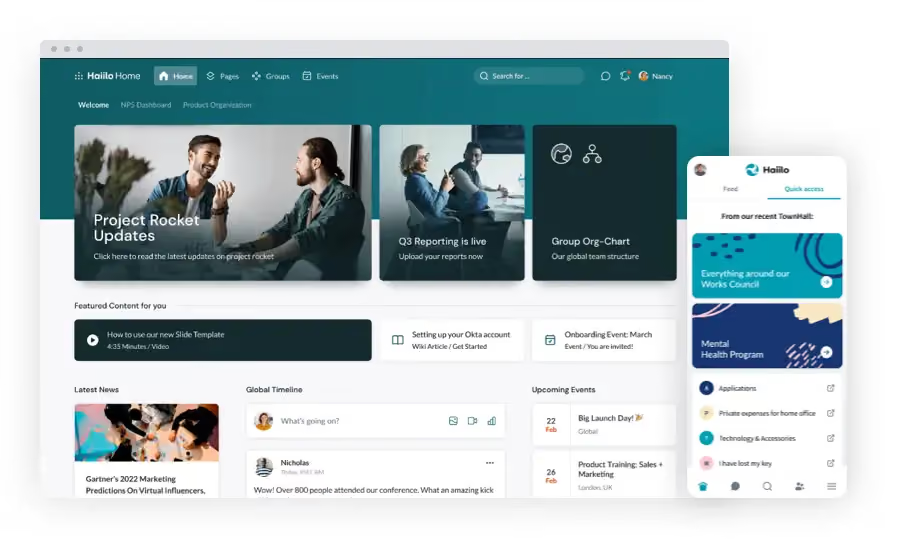
Haiilo combines internal communications with employee advocacy. Designated employees can share branded content to their personal LinkedIn and other social channels, helping with employer branding and reach.
Best for marketing-led internal comms teams looking to extend internal stories to external audiences.
Key Features
- Employee advocacy on LinkedIn and social
- News, chat and surveys
- Knowledge hubs
- Microsoft 365 and Google Workspace integration
Pricing
Quote on request. See Haiilo's pricing page.
9. Blink

Blink is a mobile-first platform built specifically for frontline workers. The interface looks and feels like a consumer social app, with chat, news feeds, file sharing, recognition and digital forms.
Best for businesses with a high proportion of frontline staff who need a phone-first experience and don't require the full breadth of a desk-worker intranet.
Key Features
- Mobile-first interface designed for frontline teams
- Chat with read receipts
- Digital forms and surveys
- Recognition tools
- Photo and video stories
Pricing
Tiered plans, with Business and Enterprise options. See Blink's pricing page.
10. Confluence
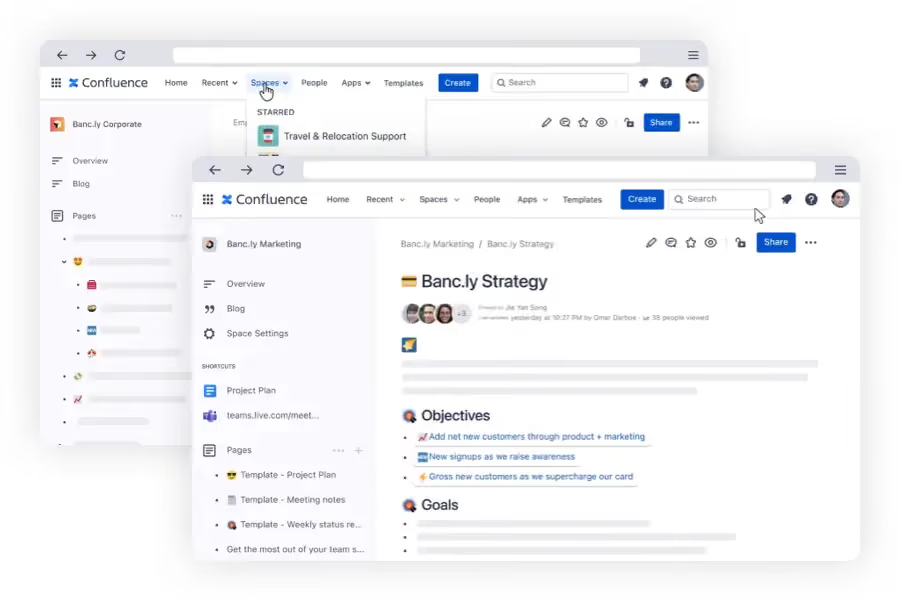
Confluence is Atlassian's collaborative documentation product. Strictly speaking it's a knowledge and documentation tool rather than a full intranet, but many tech-led businesses use it as one. Spaces, pages, templates and powerful editing make it strong for documentation-heavy teams.
Best for engineering and product teams already on the Atlassian stack who need structured documentation more than internal comms or frontline mobile access.
Key Features
- Spaces and pages for structured documentation
- Atlassian Marketplace for extensions
- Jira and developer tool integration
- Templates and collaborative editing
Pricing
Tiered plans from free to Enterprise. See Atlassian's Confluence pricing.
11. Sociabble

Sociabble is a communication and engagement platform with gamification and employee advocacy features. Points, badges and leaderboards drive engagement, while advocacy tools let employees share branded content to social channels.
Best for multi-site retail, hospitality and consumer brands looking to gamify frontline engagement.
Key Features
- Gamification with points and badges
- Employee advocacy on social channels
- Content creation and translation
- Multi-channel publishing
Pricing
Quote on request. See Sociabble's demo page.
12. Unily

Unily is an enterprise digital workplace platform built for large, complex organisations. The platform combines intranet, internal communications, document management and engagement features with strong personalisation.
Best for global enterprises with 5,000+ employees and complex governance requirements.
Key Features
- Personalised content feeds
- Built-in recognition and gamification
- Embedded video and interactive newsletters
- Enterprise integrations
Pricing
Custom quote. See Unily's pricing page.
13. Connecteam
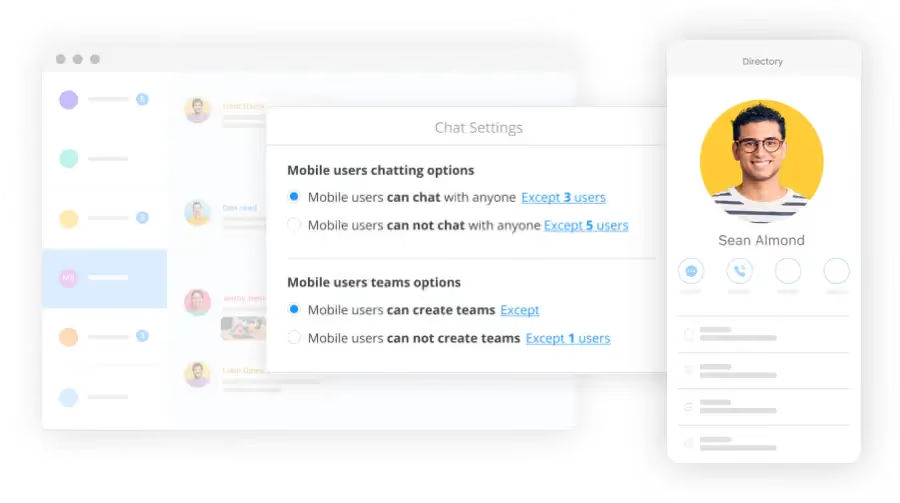
Connecteam is a workforce management app for frontline and deskless teams. Its strengths are operations (shift scheduling, time tracking, task management) rather than traditional intranet features like document management and structured news.
Best for businesses with hourly workers, shift teams or field-based staff who need scheduling and operational tools more than communications.
Key Features
- Shift scheduling and time tracking
- Task management and forms
- Chat and announcements
- Training modules
Pricing
Free plan available for up to 10 users. Tiered paid plans from there. See Connecteam's pricing page.
14. Jostle
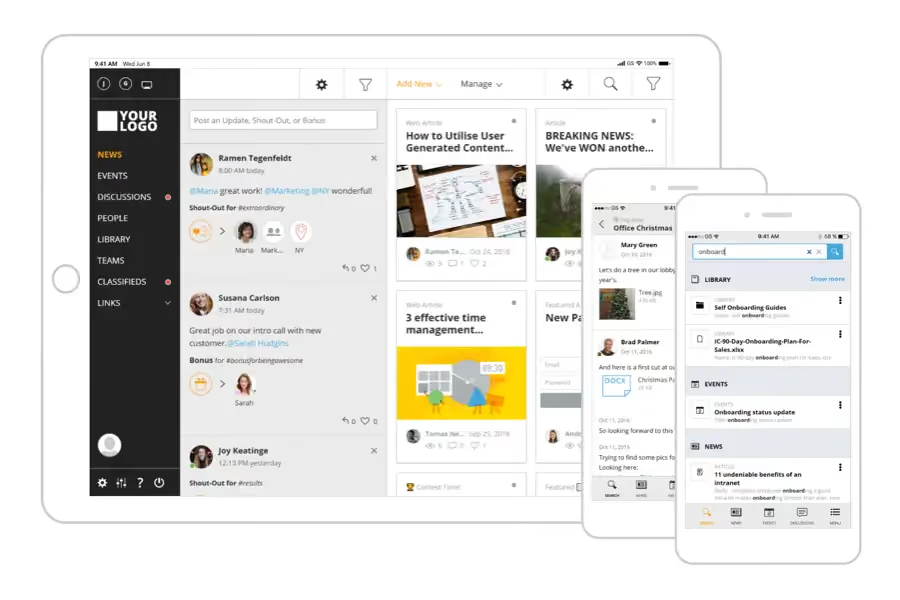
Jostle is an employee success platform combining intranet, communication and recognition features. Activity feeds, shout-outs, events and discussions are the core, with strong Google Workspace integration.
Best for small and mid-sized businesses looking for something simpler than enterprise platforms.
Key Features
- Targeted activity feed
- Shout-outs and recognition
- Events and discussions
- Google Workspace integration
Pricing
Tiered plans, with discounts at higher user counts. See Jostle's pricing page.
15. Firstup
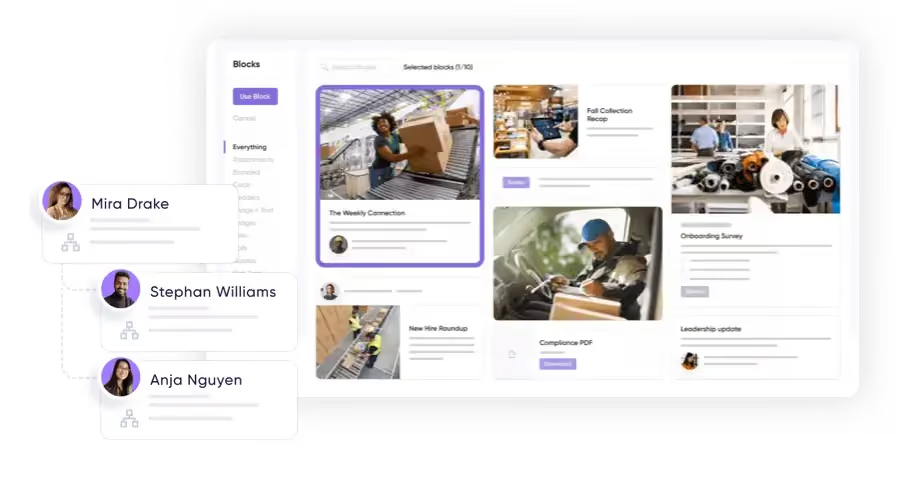
Firstup is a workforce communications platform focused on reaching employees across multiple channels. The platform uses machine learning to optimise when and where communications are delivered.
Best for enterprise comms teams running large-scale, structured communications campaigns who need delivery optimisation more than full intranet functionality.
Key Features
- Predictive delivery insights
- Omnichannel publishing
- Microsoft Teams integration
- Polls, surveys and analytics
Pricing
Quote on request. See Firstup's pricing page.
Choosing the Best Intranet for 2026 and What Matters Most
If your team has been stuck in SharePoint or outdated tools, you already know the problems that come with it. Poor communication, low engagement, and scattered information. A modern intranet should fix that—and do more. Whether you're in retail, healthcare, freight and logistics, manufacturing, or any fast-moving industry, the right intranet should keep teams connected, simplify work, and improve communication.
1. Can It Actually Improve Communication?
The problem with old intranets? No one checks them. A great intranet makes updates impossible to ignore and easy to act on.
- Broadcast updates without overwhelming employees.
- Give leadership a direct way to communicate across offices, warehouses, and frontline teams.
- Enable real-time feedback so employees can share input instantly.
- Provide chat and channels to keep teams aligned without email overload.
2. Does It Bring People Together and Make Work More Engaging?
A strong intranet should help employees feel connected, not just informed.
- Built-in recognition tools for celebrating wins, milestones, and team achievements.
- A social-style feed where employees can interact, not just read company updates.
- Surveys and sentiment tracking to measure engagement and spot potential issues.
- Personalized content so employees only see what’s relevant to them.
3. Does It Go Beyond Just Storing Documents?
If employees have to dig through endless folders, the intranet isn’t doing its job. A modern platform should:
- Make information instantly searchable with AI-powered search.
- Provide quick answers with AI chat assistants—so employees get help fast.
- Automate workflows for approvals, compliance checklists, and leave requests.
- Support performance management by storing reviews, tracking development plans, and setting clear goals.
- Include task management so teams can assign work, track progress, and avoid bottlenecks.
Check out CentricMinds partnership with New Dialogue AI.
4. Does It Work with the Tools You Already Use?
An intranet should fit into daily operations—not be another forgotten tool.
- Seamlessly integrate with Microsoft 365, Google Workspace, and HR systems.
- Single sign-on & security controls to protect sensitive data.
- Offer a dedicated employee app so frontline teams in retail, healthcare, and logistics have easy mobile access wherever they work.
5. Is It AI-Ready for the Future?
AI is already reshaping how teams work. A future-proof intranet should:
- Summarize key updates so employees don’t miss important news.
- Automate repetitive tasks like reports, compliance documents, and quotes.
- Analyze engagement trends so HR can see what’s working.
Here's the thing
A modern intranet isn’t just a place to store information—it should streamline communication, boost engagement, manage tasks, support performance tracking, and make everyday work easier. If your current system isn’t doing that, it’s time for something better.
See how CentricMinds can change the way your team works . Book a Demo today.
What Should You Expect from an Intranet?
The shortlist above gives you the main players. Choosing between them comes down to a few practical questions.
1. Will it actually improve communication?
The biggest reason intranets fail is that nobody opens them. A modern intranet should make updates impossible to ignore and easy to act on.
- Boosted messages or alerts that stay on screen until acknowledged
- A direct way for leadership to reach offices, warehouses and frontline teams
- Real-time feedback channels
- Chat and channels that reduce email overload
2. Does it bring people together?
A strong intranet helps employees feel connected, not just informed.
- Built-in recognition for celebrating wins
- A social-style feed where the team can interact
- Surveys and sentiment tracking
- Personalisation so people see what's relevant
3. Does it go beyond storing documents?
If your team has to dig through folders, the intranet isn't doing its job.
- Search that returns answers
- Automated workflows for approvals and compliance
- Task management to assign work and track progress
- Forms that route to the right people without manual chasing
4. Does it work with the tools you already use?
The intranet should fit your stack, not replace it.
- Native integrations with Microsoft 365, Google Workspace and HR systems
- Single sign-on and security controls
- A dedicated mobile app for frontline teams
- Open API for custom integrations
5. Does it cover both desk and frontline?
Half your team probably doesn't sit at a desk. Without a real mobile experience, your intranet only reaches half the business.
- Branded mobile app, not a stripped-down web view
- Full functionality on mobile, not a subset
- Works for staff without company email
- Two-way between phone and desktop
Ready to see what a modern intranet looks like?
CentricMinds is a modern intranet built for businesses where half the team isn't at a desk. Documents, news, forms, workflows, search and a branded mobile Employee App, all in one product, one subscription, one source of truth.
Comparison reflects vendor positioning and publicly available information as of 2026. Pricing and features change frequently, so check each vendor's website for the most current details.