.avif)
CentricMinds Intranet
Document Management
Teams using CentricMinds








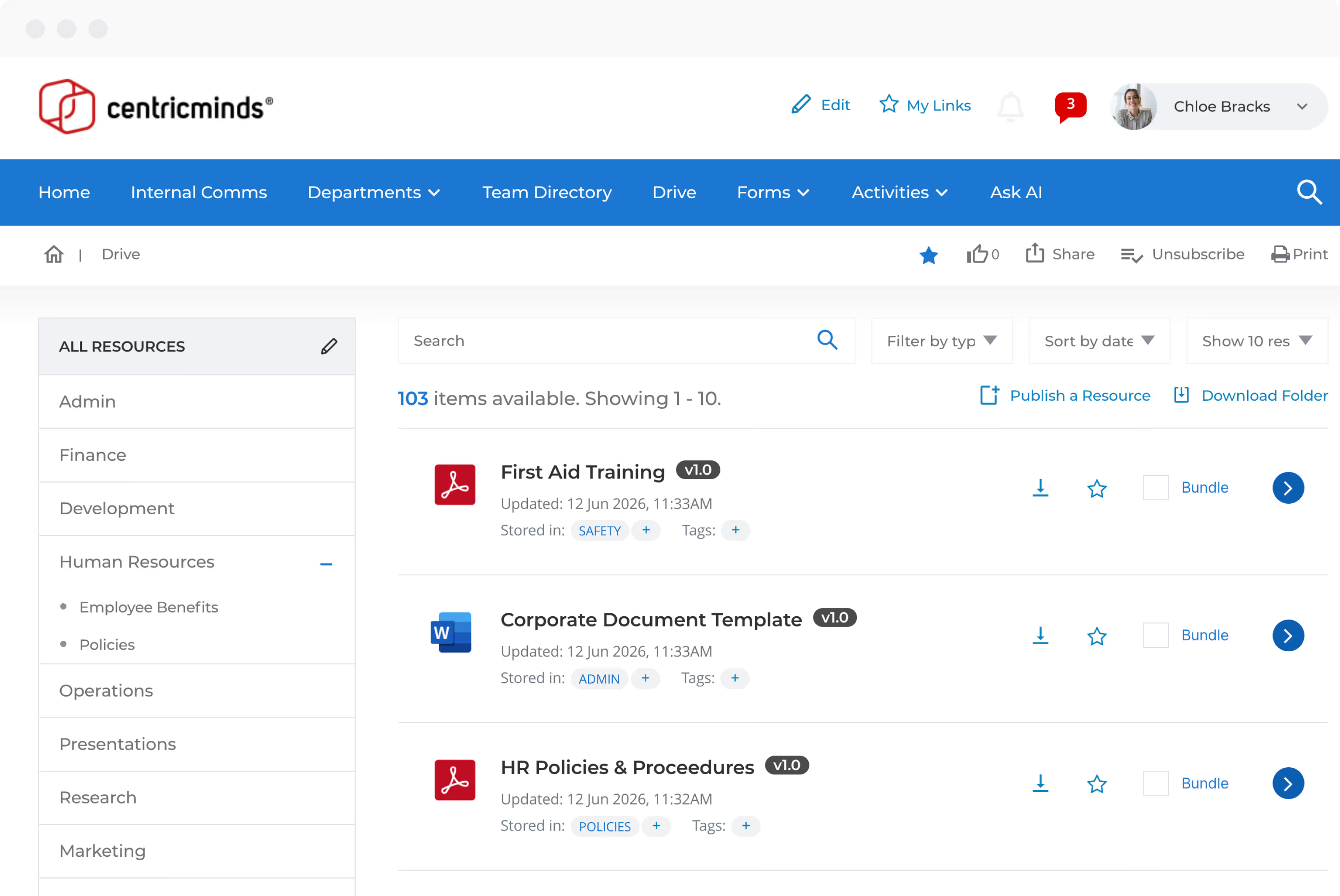
CentricMinds Drive
Consolidate your content from multiple environments into a secure, version controlled environment
One Search
Every file, every app


Search across everything
Connect all your content from across Google, Microsoft, Dropbox and more. Search across all of these locations from one interface

.svg)
Sharing control
Send files to your team or external partners with password protection, expiry dates and view-only access. Control permissions at every step

.svg)
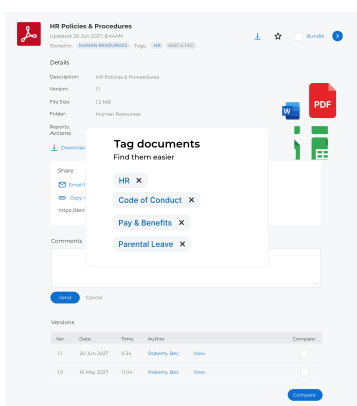
Tag once. Find forever
The last place your documents will ever
need to live
need to live
Tag by topic, team or project. Group documents the way your team actually thinks
Always the latest version, with full versioning one click away if required
Compare versions side by side. See exactly what changed between versions

How quickly can my team find what they might be looking for?

CentricMinds provides enterprise-grade search across your entire document repository, allowing employees to locate policies, procedures, templates, contracts, and business documents with ease. Advanced search filters, metadata and document tagging eliminate the frustration of searching through folders, shared drives, and email attachments.
Can we control who has access to sensitive documents?
Yes. Granular permissions allow organizations to restrict access based on department, role, location, team, or security classification. HR documents, executive reports, financial information, legal contracts, and confidential policies can all be securely managed with role-based access controls.
What is the process for when a policy or procedure changes?
Updated documents can automatically trigger notifications, a task, or an approval workflow. Employees can be required to review and acknowledge important policy changes, giving management visibility into who has read and accepted business critical information.
Can we replace shared drives and file servers from across Microsoft and Google, and external repositories like Dropbox?
Absolutely. CentricMinds provides a centralized document management control plane that consolidates organizational knowledge into a single searchable repository. Rather than storing documents across network drives, SharePoint sites, emails, and local folders, team members can access everything from one secure location.
Do you support the maintenance of compliance and auditability for regulated documents?
Document actions are tracked, providing a complete audit trail that supports governance, compliance, accreditation, and regulatory requirements across industries such as healthcare, government, financial services, manufacturing, and education.