.avif)
CentricMinds Intranet
Tasks
Teams using CentricMinds








Every task assigned. Nothing forgotten
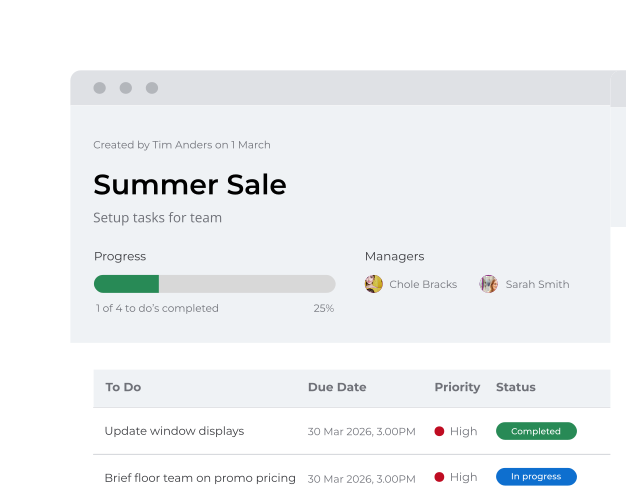
Assign once, track always. From daily safety checks to one-off projects
Recurring Task
9:45am
Safety Checks

Cassy B.
Recurring tasks
Set daily, weekly and monthly routines once. Tasks repeat automatically so nothing is forgotten

.svg)
Real-time visibility
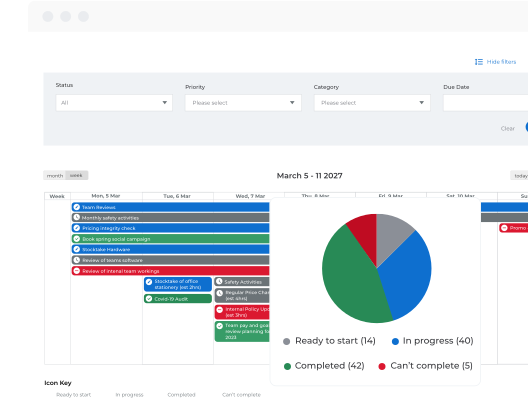
See what's done, who's on it, and what's stuck. No chasing updates in chat or email

.svg)
How much time can we save by moving task management?

Organizations typically spend significant time switching between emails, spreadsheets, chat applications, document repositories, and task management tools. By consolidating task assignment, communication, documents, workflows, and reporting into a single digital workplace, teams spend less time searching for information and more time executing work.
Can I assign tasks to hundreds of team members at once and track who has completed them?
Yes. Tasks can be assigned to individuals, departments, locations, or large groups of employees. As people complete their tasks, managers can monitor completion rates in real time and quickly identify who has not yet responded.
What happens if team members don't regularly check their Task Dashboard?
All team members receive notifications through the CentricMinds employee app and browser notifications, ensuring important tasks aren't missed. When a new task is assigned, it appears directly within their app experience, making it easy to review, action, and complete tasks from anywhere.
Can tasks be connected to documents, forms, and approval workflows?
Absolutely. Tasks are integrated directly into the broader CentricMinds platform. You can assign tasks that require employees to review documents, complete forms, submit requests, or participate in approval workflows.
What makes CentricMinds different from standalone task management tools?
Most task management tools focus solely on tasks. CentricMinds combines task management, Intranet communications, employee engagement, document management, workflows, forms, mobile access, and team collaboration within a single platform.
How much does Task Management cost?
Task Management is a key part of the CentricMinds Intranet offering. Take a look at our Intranet pricing page to see what plan best suits you.